Brat Text Generator – Style Your Text and Copy Paste It Anywhere
Paste any style directly into Instagram bio, TikTok, Twitter, Discord or WhatsApp
Most brat tools make you download an image just to use a single word or phrase somewhere. That is fine for album covers but it is completely unnecessary when all you need is styled text for your Instagram bio, TikTok name, or WhatsApp status.
This Brat Text Generator works differently. Type your text and you instantly get seven styled Unicode versions you can copy and paste directly into any platform without downloading anything. It also has a full image mode if you need a high quality PNG. Both in one place, completely free.
What Is Brat Text Generator
Brat Text Generator is a free browser based tool that converts your text into brat style outputs in two completely different ways. It is a separate tool from the main Brat Generator and serves a different purpose entirely. The first mode gives you a styled image with full control over colors, blur, font size, and alignment. The second mode, which is what makes this tool unique, instantly converts your text into seven Unicode styled versions you can copy and paste anywhere without creating an image at all.
Everything outputs in lowercase automatically. You can type in any case and the tool converts it. Lowercase is the defining characteristic of the brat aesthetic inspired by Charli XCX's album era, and the tool enforces it so every output looks authentically brat without you having to think about it. No other brat tool online combines a high quality PNG export with instant copy paste Unicode text in the same place.
How to Use Brat Text Generator
Type your text into the input field. It can be anything, a word, a phrase, your name, a caption. The tool converts everything to lowercase automatically as you type.
Choose your mode. If you want a styled image, stay in Mode 1 and use the controls to set your background color, text color, alignment, blur level, and font size. The preview updates live on every keystroke without hitting any button.
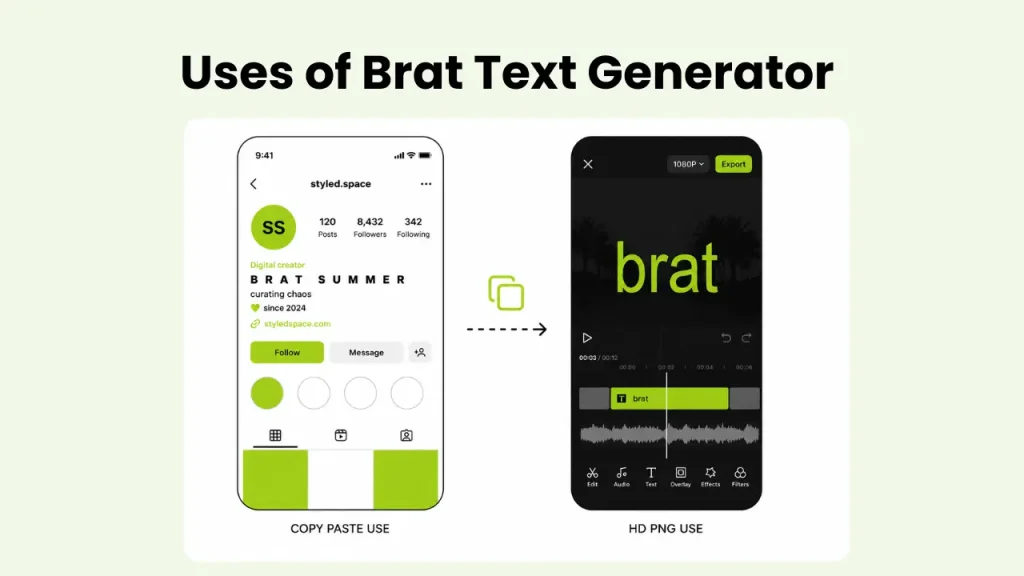
If you want copy paste text, switch to Mode 2. Seven Unicode styled versions of your text appear instantly. Each one has its own Copy button. Click it, the button flashes green to confirm, and the styled text is on your clipboard ready to paste anywhere.
In Mode 1, download your image as a standard PNG at 1080x1080 or an HD PNG at 2160x2160 for print quality output.
In Mode 2, paste your copied text directly into an Instagram bio, TikTok display name, Twitter bio, Discord username, WhatsApp status, or any text field on any platform.
The Two Modes Explained
Mode 1: Styled Image
This is the image creation side of the tool. You get full control over background color, text color, blur from 0 to 12px, font size from 18 to 72px, and text alignment. Longer phrases wrap automatically so nothing overflows the image. Download at standard or HD resolution depending on whether you need it for social media or print.
Mode 2: Copy Paste Unicode Text
This is the feature that makes this tool genuinely different. Your text converts instantly into seven styled versions:
- Brat Lowercase - plain lowercase, the base brat style
- Bold - Unicode bold characters
- Bold Italic - Unicode bold italic characters
- Wide Spaced - letters spread apart with Unicode spacing
- Strikethrough - a line through every character
- Bubble - each letter wrapped in a circle
- Upside Down - text flipped upside down and reversed
Each style has its own Copy button. One click copies it to your clipboard. No image, no download, no extra steps. Paste it straight into wherever you need it.
Features of Charli XCX Text Generator
This tool was built with two very different use cases in mind. Here is what it gives you across both modes.
Live Preview
The styled image preview updates on every single keystroke. You do not need to hit generate or refresh anything. Every change in text, color, blur, or size reflects instantly in the preview before you download.
Unicode Styles
Seven completely different text styles generate simultaneously the moment you type. Bold, italic, wide spaced, strikethrough, bubble, upside down, and base brat lowercase. All available with one click copy, no image required.
Auto Lowercase
Every output converts to lowercase automatically regardless of how you type. This enforces the brat aesthetic without you needing to think about it. It is not optional because lowercase is the whole point of the style.
Blur Control
Blur slider from 0 to 12px replicates the soft focus look from the original brat album cover. Font size slider from 18 to 72px scales your text to fit any format from a small caption graphic to a large print ready image.
Custom Colors
Six background color presets including lime green, black, white, pink, purple, and dark, plus a custom hex input. Six text color presets plus custom hex. Match any specific shade for your brand or aesthetic without being limited to the defaults.
HD Download
Two PNG export options are available. Standard at 1080x1080 for social media and HD at 2160x2160 for print quality output. The HD PNG is clean enough for physical print use or high resolution video overlays in CapCut or similar editors.
Auto Word Wrap
Longer phrases wrap automatically inside the image so text never overflows or gets cut off. The layout adjusts to fit your content without you needing to manually break lines.
Works Everywhere
The copy paste Unicode text works in Instagram bios, TikTok display names, Twitter bios, Discord usernames, WhatsApp status, and any other platform that accepts text input. No image, no download, no compatibility issues.
What You Can Make With It
The most unique use of brat text maker is styling your social media bio or username. Copy the Wide Spaced or Bold Italic version of your name and paste it directly into your Instagram bio or TikTok display name. It shows up styled on any device without needing a single image.
For viral content, the Upside Down and Bubble styles work well as caption text on posts. They stand out in a feed because most people have no idea how to get that kind of styled text without a tool like this.
Content creators use the HD PNG export for CapCut and TikTok overlays. Bring the 2160x2160 file into your edit as a text layer over video. The high resolution holds up cleanly even on large screens.
For Instagram Stories and reels, download the standard PNG and layer it over your photo or video in the Stories editor. Pair it with a sticker from the Brat Sticker Generator for a complete brat aesthetic post.
The strikethrough and bubble styles work especially well for meme captions and reaction posts where the text format itself is part of the joke. If you also need a full album cover style image, the main Brat Generator tool on our homepage is built specifically for that. If you want to explore different font styles beyond the default brat typeface, the Brat Font Generator lets you preview 16 options and download the one that fits.
User Reviews
You can read the reviews of the people who used this tool.
Bio Glow Up
Bio Glow Up I have been trying to figure out how to get styled text in my Instagram bio for months. Every tool I found made me download an image which does not work in a bio field. This one just gives you the text to copy and paste. I used the wide spaced version and it looks exactly how I wanted. It took thirty seconds.

Exactly What I Needed
Exactly What I Needed I wanted my TikTok display name in that brat lowercase bold style and had no idea it was this simple. Typed my name, clicked the copy on the bold version, pasted it in. Done. The bubble style is fun too, I have been using it for comments.
HD Export is Underrated
HD Export is Underrated. I use the HD PNG for CapCut overlays and the quality is genuinely good. No pixelation even when I scale it up in the editor. The blur slider at around 4px gives it that authentic brat look without making it unreadable. I keep this tab open every time I am editing.
Both Modes Actually Useful
Both Modes Actually Useful I came for the image mode and stayed for the copy paste feature. I use the styled PNG for client social graphics and the Unicode text for my own bios and captions. Having both in one tool without switching between different sites saves a lot of time.




Conclusion
Most text tools make you choose between a downloadable image and plain text. This one gives you both. Seven copy paste Unicode styles and a high quality PNG export, all from the same input, completely free. Whether you are updating your Instagram bio, making a TikTok overlay, or downloading a print ready graphic, this Brat Text Generator handles it without sending you to three different apps to finish the job. Type your text and use it however you need it.